Open-source encryption · No ads · No accounts

Your private
photo vault
for Android.

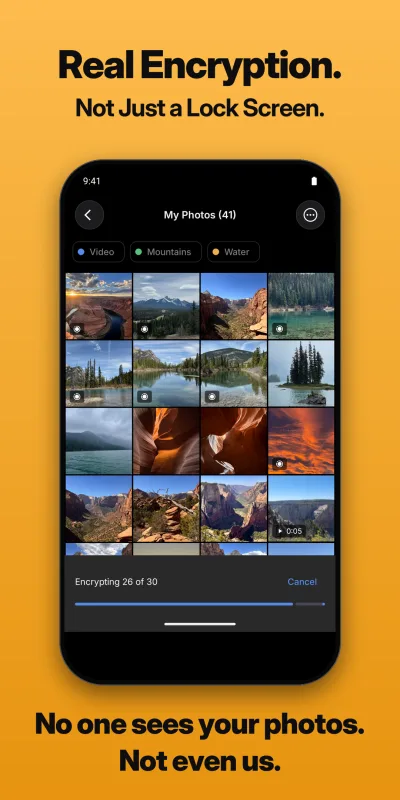
Hide your photos and videos behind AES-256-GCM encryption. No ads, no accounts, no cloud, no data collection. The code that encrypts your files is open source.

A look inside

The screenshots from our Google Play listing.
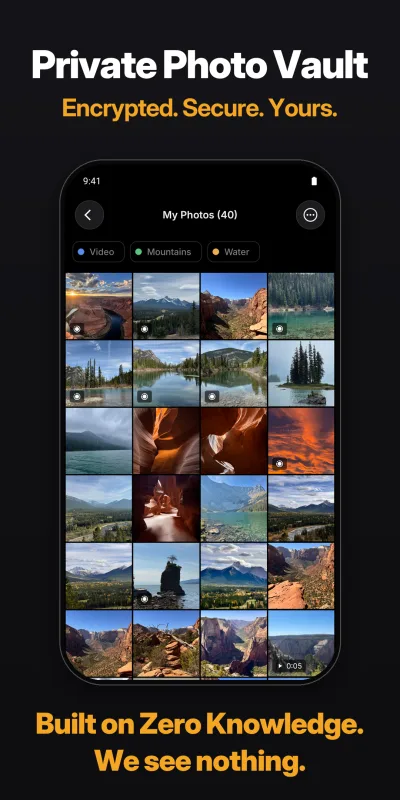
AES-256-GCM Encryption AES-256-GCM with 600,000-round PBKDF2 key derivation on every photo, video and database
No Internet Permission The app cannot go online on its own. Works on a plane, underground, anywhere
No Ads, Ever No ads, no analytics, no telemetry. Pay once for Pro, or subscribe if you prefer
No Account, No Email No sign-up, no login, nothing to create. Open the app and go

How Obscura Photo Vault works

Three steps. Everything happens on your phone.

1

Set a password

Create a vault with your own password. It never leaves your phone and is never stored anywhere.

2

Import your photos

Pick photos and videos from your gallery, take them with the built-in camera, or share them in from another app. Then delete the originals from your gallery.

3

They're encrypted instantly

Every file is protected with AES-256-GCM the moment it arrives. No server call, no cloud upload, no account sync. Without your password, the files are unreadable binary data to anyone, including us.

Encryption

Encryption that doesn't cut corners

Every photo, video and database is protected with AES-256, the same standard used to protect classified government information.

✓ The code that encrypts your files is open source. Anyone can read it, run its tests, and check that the files on their own phone match it: ObscuraCrypto on GitHub
✓ Your password is run through 600,000 rounds of PBKDF2 before becoming a key, so guessing it by trial and error is slow and costly
✓ Fingerprint and face unlock keep their key in your phone's secure hardware
✓ Videos are decrypted in memory while they play. No unencrypted copy of a video is written to your phone's storage
✓ Auto-lock with a timeout you choose, and keys are wiped from memory the moment the vault locks
✓ Full specification, threat model and design rationale: the Android security paper
256-bit AES-GCM key size
600K PBKDF2 rounds
0 Data collected
0 Ads
iPhone and Android

One vault, either phone.

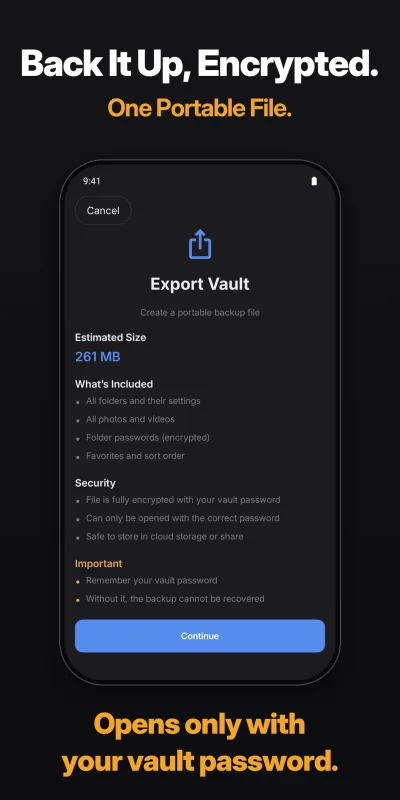
Obscura on Android and Obscura on iPhone use the same encrypted file format. Export your vault as an encrypted .obscura file on one phone, import it on the other, and everything arrives with its folders, tags and order. The file opens only with your vault password, so it is as safe to keep in cloud storage or on a computer as the vault itself.

Switching phones, or using both? Your photos do not need to pass through an account or a server on the way.

Everything Obscura Photo Vault does.

Security at the core. A full set of photo tools. All offline. All encrypted.

Security

AES-256 Encryption

Every photo, video and database entry encrypted with AES-256. Keys stay on your phone.

Fingerprint & Face Unlock

Biometric unlock with the key kept in your phone's secure hardware. Your biometrics never reach Obscura.

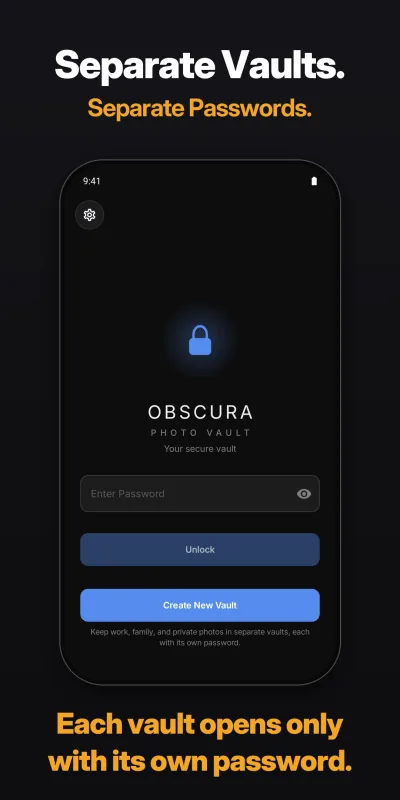
Separate Vaults

Separate vaults for work, family and private photos, each with its own password. No vault list and no count inside the app.

Folder Passwords

Add a second password to any folder, free. Even with the vault unlocked, a protected folder stays encrypted until you enter its password.

Open-Source Encryption

The code that encrypts your files is published on GitHub, with tests anyone can run.

Backups You Control

Export the whole vault as one encrypted file, or back up to a folder you choose, such as Google Drive, an SD card or a USB drive. Only encrypted files are copied. Export is free.

Capture and organize

Camera and Quick Settings

Take photos and videos straight into the vault, with the camera or the Quick Settings button, even while the vault is locked. Each shot is encrypted as it is taken and added the next time you unlock.

Share to Obscura

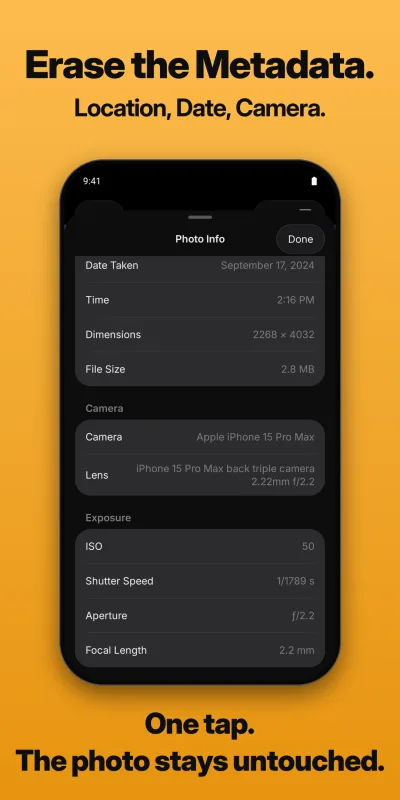
Send photos and videos into your vault from any app's share sheet. Share a photo out with its place, time and camera details removed.

Tags and Favorites

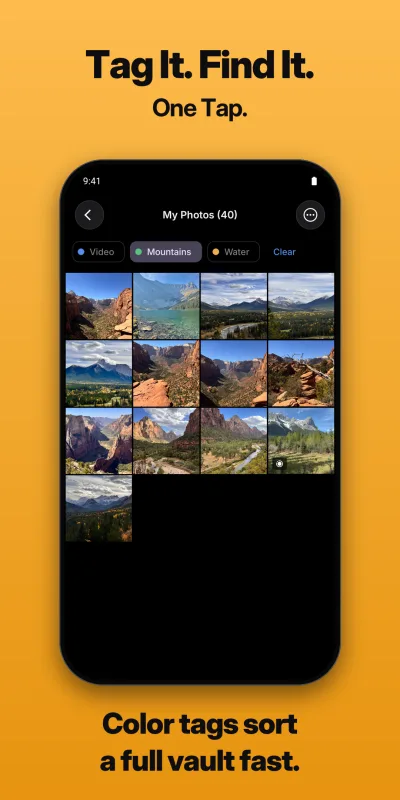
Tag photos, filter by tag, mark favorites, arrange photos by hand or sort by date.

Duplicate Detection

Find duplicate photos in your vault and clear them in a few taps.

Photo Editor and Collages

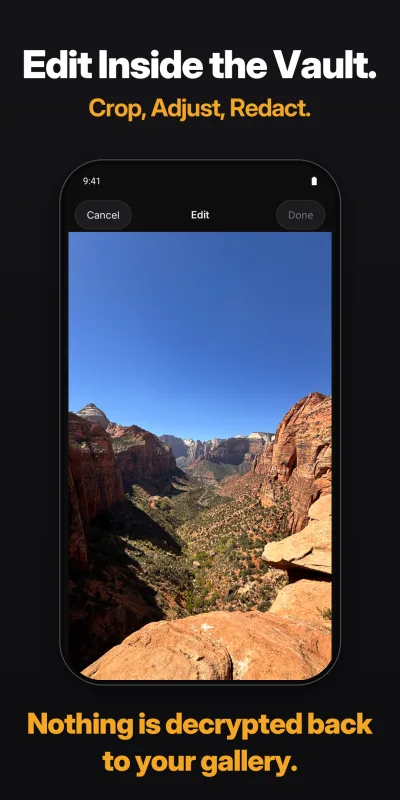
Crop, adjust, filters, rotate and flip, or redact faces and details. Save a copy or replace the original. Combine two to ten photos into a collage.

Slideshow and Motion Photos

Play Live Photos and Motion Photos, and run a slideshow with shuffle that resumes where you left off.

Start free. Upgrade when ready.

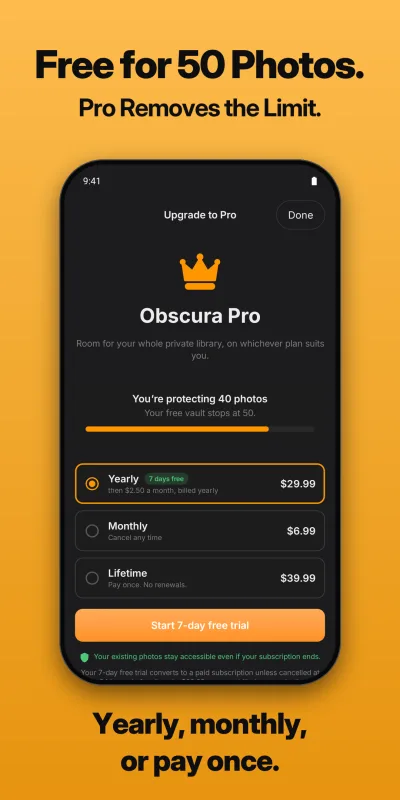
Full encryption is free. Upgrade to remove every limit, on whichever plan suits you.

Free
$0
Start today, no credit card needed
✓ AES-256 encryption
✓ Fingerprint & face unlock
✓ Photo editing & collages
✓ Auto-lock
✓ Tags, favorites & manual arrange
✓ Duplicate detection
✓ Folder-level passwords
✓ Encrypted vault export & import
× Up to 50 photos (not unlimited)
× Single vault only
Pro
$29.99USD
per year, after a 7-day free trial
Yearly7 days free, then $2.50 a month billed yearly $29.99 USD
MonthlyCancel any time $6.99 USD
LifetimeOne payment, no renewals $39.99 USD

Prices shown in US dollars. Google Play charges in your local currency, so the amount will differ outside the US.

✓ Everything in the free tier
✓ Unlimited photos & videos
✓ Unlimited vaults
Download on the App Store Get it on Google Play

Download free, upgrade to Pro inside the app

Common questions

Straight answers to the questions people ask before downloading.

What happens if I forget my password?
Your photos cannot be recovered. There is no reset, no back door, no recovery email. This is by design: we keep no copy of your password or keys, so we cannot open your vault or reset it for you. Write your password down and store it somewhere safe, and keep an exported copy of your vault, which opens with the same password.
Does Obscura Photo Vault connect to the internet?
No. The app does not have the internet permission, so it cannot go online on its own. Your photos, your password and your keys never leave your phone. Buying Pro goes through the Google Play app on your phone, not through Obscura.
Can Obscura Photo Vault employees see my photos?
No. Your photos are encrypted on your phone before anything else happens to them. There is no server, no account system, and no technical way for us to reach your data. The app has no ads, no analytics and no telemetry.
Is my vault included in Android backup?
No. Obscura turns off Android's cloud backup for its data, so nothing from your vault is copied to your Google account. Backing up is your choice and stays encrypted: export the whole vault as one .obscura file and keep it wherever you like, or back up to a folder you pick, such as Google Drive, an SD card or a USB drive. Uninstalling the app deletes its data, so export your vault first.
What are Separate Vaults?
You can create separate vaults for work, family and private photos. Each one opens only with its own password. Inside the app there is no vault list, no count, and no way to browse between vaults, however many you create. On the phone's storage, the app keeps 10 encrypted vault slots in place at all times, built the same way, so an unused one looks like a used one. Read the details in the security paper.
Is Obscura Photo Vault free?
Yes, to download and use. The free plan has full AES-256-GCM encryption, fingerprint and face unlock, photo editing, folder passwords and encrypted export, with up to 50 photos in one vault. Obscura Pro removes those two limits: unlimited photos and videos, and unlimited vaults. Pro is $6.99 a month or $29.99 a year, with a 7-day free trial on the yearly plan, or $39.99 once with no renewals. Those are US dollar prices; Google Play charges in your local currency, so the amount differs by country.
What happens if my subscription ends?
Nothing in your vault is locked or deleted. Every photo and video you have already saved stays where it is, and you can keep viewing, organizing, exporting and deleting them. The only thing that stops is adding more beyond the free limit of 50 photos. You can subscribe again at any time, or buy Pro once with the Lifetime plan, which never expires.
How do I hide photos on my Android phone?
Install Obscura Photo Vault from Google Play, set a password, and import the photos you want to protect. Each one is encrypted with AES-256-GCM as it enters the vault. Then delete the originals from your gallery. If Google Photos backup is on, delete the copies there as well, because those stay in your Google account until you remove them.
What encryption does Obscura Photo Vault use?
AES-256-GCM on every photo, video and database. Your password goes through 600,000 rounds of PBKDF2 key derivation before it becomes a key, which makes guessing attacks impractical. Keys live in memory only while a vault is open and are wiped when it locks. Fingerprint and face unlock keep their key in the phone's secure hardware. Videos are decrypted in memory while they play and never written to storage unencrypted.
Is Obscura Photo Vault open source?
The encryption is. The code that turns your password into a key and encrypts your photos, videos, folder passwords and backups is published as the open-source ObscuraCrypto package on GitHub, with tests and sample files, so anyone can read it and check their own vault files against it. The rest of the app, such as its screens and its database, is not open source.
Can I move my vault between an iPhone and an Android phone?
Yes. Export your vault as an encrypted .obscura file on one phone and import it on the other. The two apps use the same file format, and the file opens only with your vault password.
Which Android versions does it support?
Android 11 or later.

Encrypted. Offline. Yours.

Your photos are private by design, not by promise. Free to start, with a 7-day trial on Pro.